Instructions for installing and configuring the application Data HR / Vacation / Day offs
Thank you! Your submission has been received!
Oops! Something went wrong while submitting the form.


Installation:
Install the application from Marketplace Bitrix24.
Settings:
!IMPORTANT: Only the portal administrator has access to the settings.
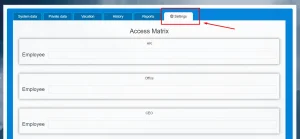
Go to the “Settings” tab.
In the Access Matrix it is necessary to designate employees in accordance with their role and press the “Save” button. Employees not listed in the matrix will operate with restricted “Office” permissions by default.
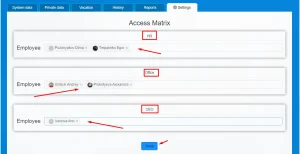
By default, three types of rights can be assigned in the application: HR, Office and CEO.
The access level of each is shown in the figure:

– Office. An ordinary employee can only view data about yourself and about colleagues (on the “system” and “closed” tabs). And also view and request a vacation in the “Vacation” tab. Employees will only see non-sensitive data of their colleagues (e.g., name, department, position).
– HR and CEO have access to the “History” and “Reports” tabs.
– Only the Portal Administrator can appoint HR, Office and CEO in the “Settings” tab. HR managers can manage the entire team’s availability, while CEOs have access to company-wide analytics.
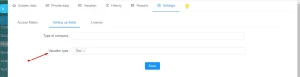
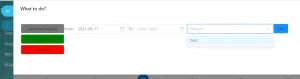
Also in the “Setting up fields” tab, you can specify the type of company (that is connected to your company. It will be automatically displayed in tab “Private data” in “Company name” field) and the Vacation type, which will be displayed in the slider when the employee requests / assigns a vacation.